Buttons
Introduction
This guide explains how to use the lighting system to configure DALI-2 buttons and switches.
Step by Step Example
Navigate to the desired DALI channel by selecting the appropriate ‘Channels' page from the left sidebar.
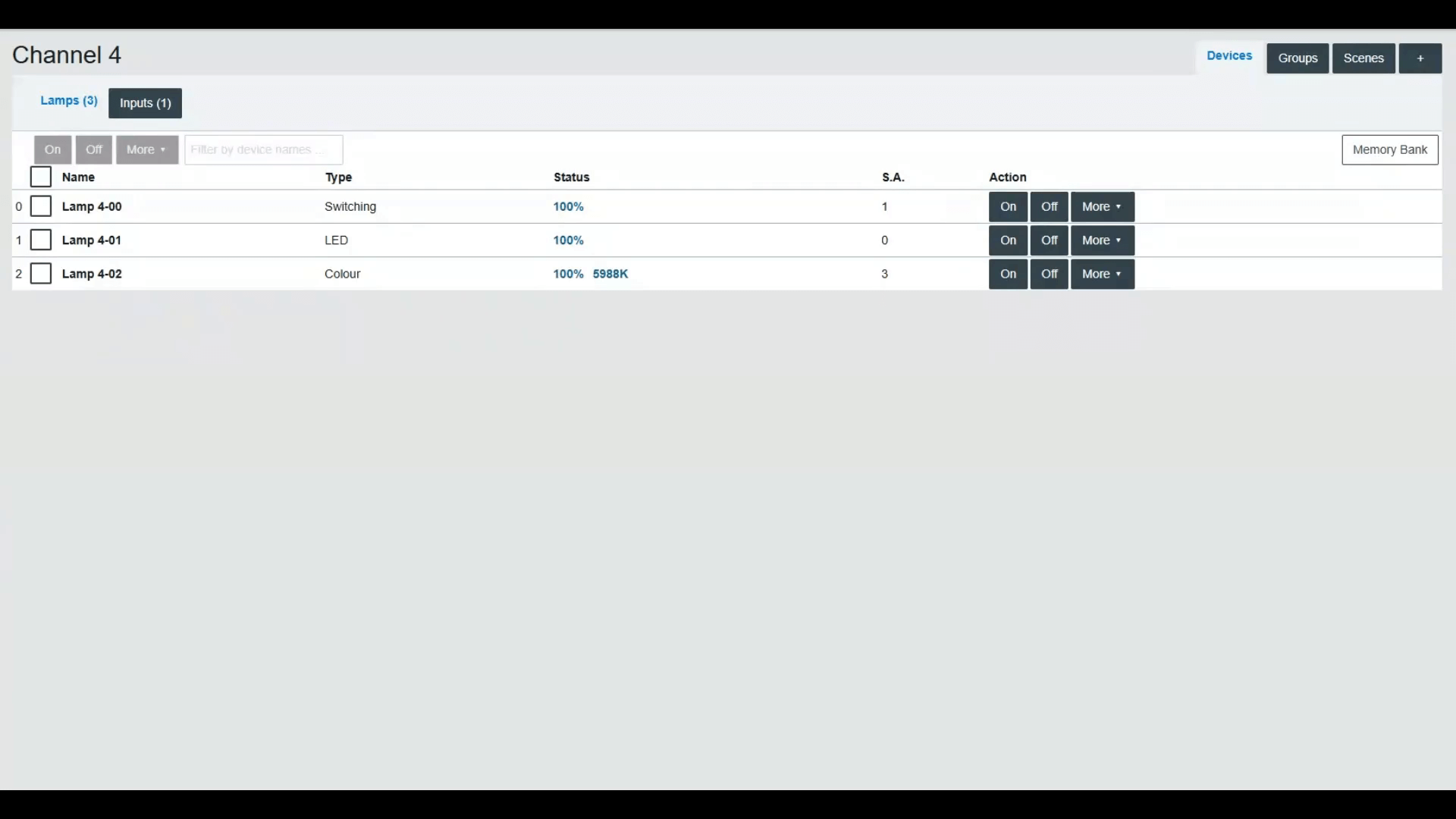
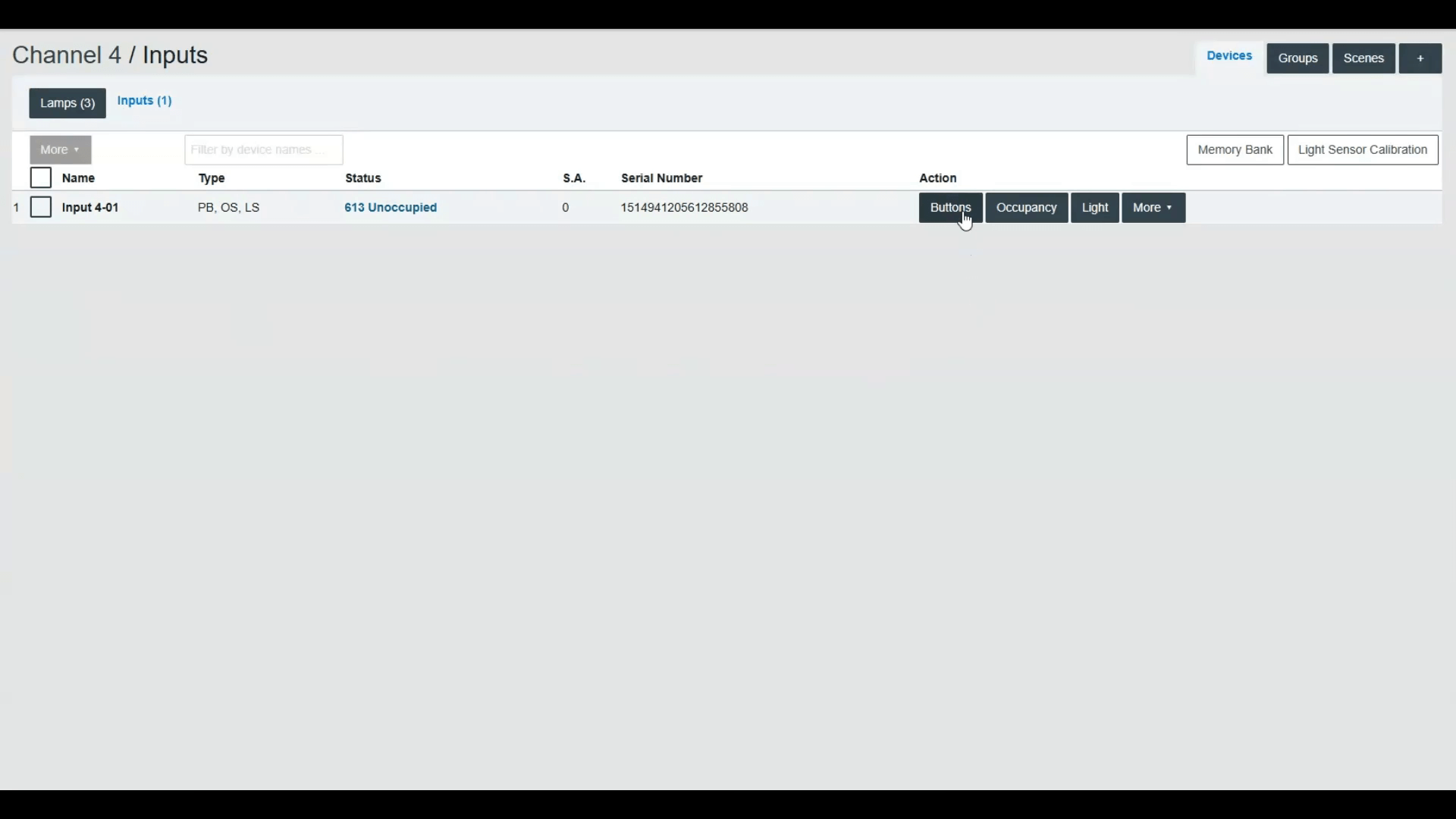
Press the 'Inputs' button to display the list of commissioned DALI-2 input devices.
For the desired input device, press the action 'Buttons' to display all its button instances.
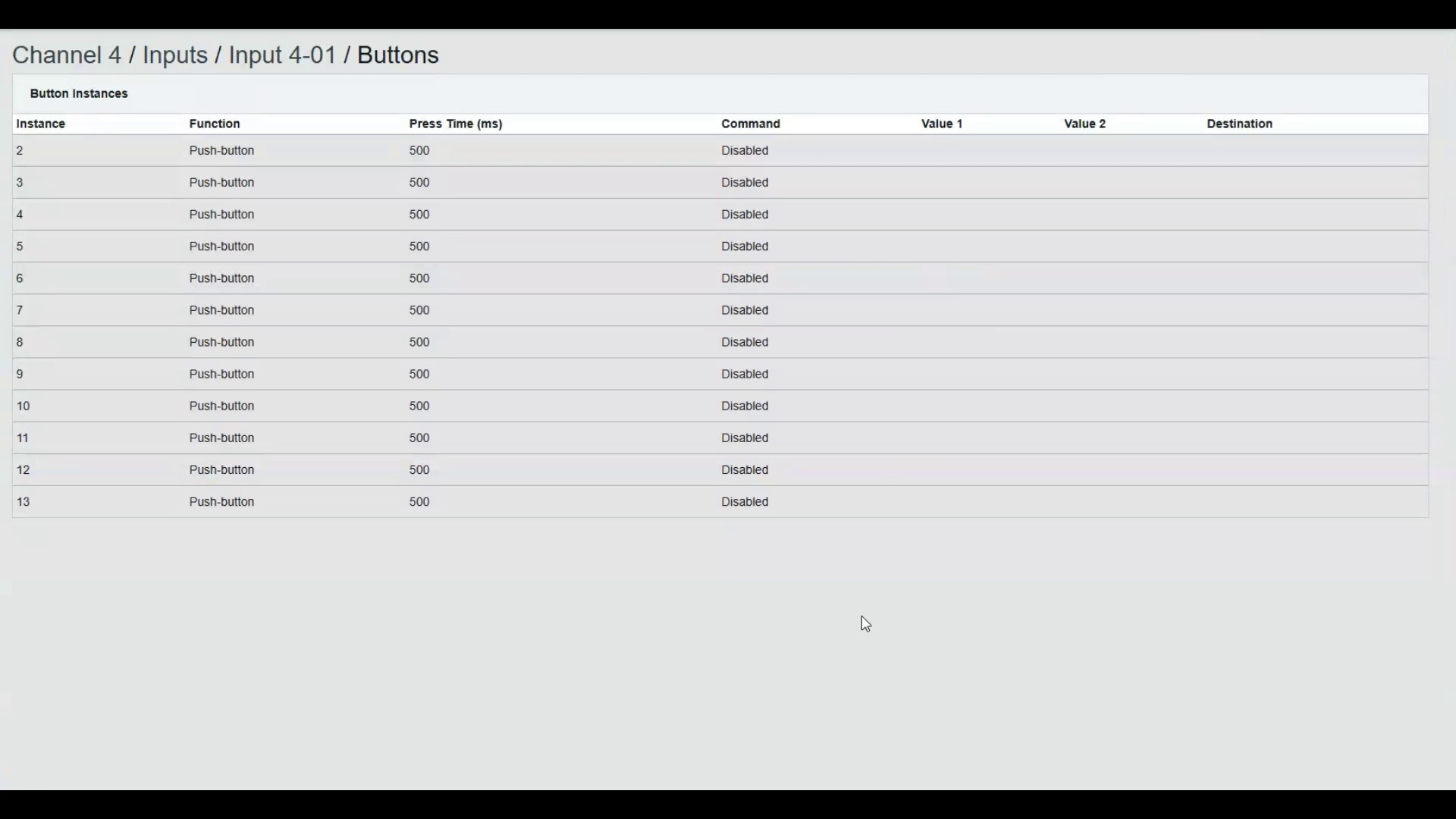
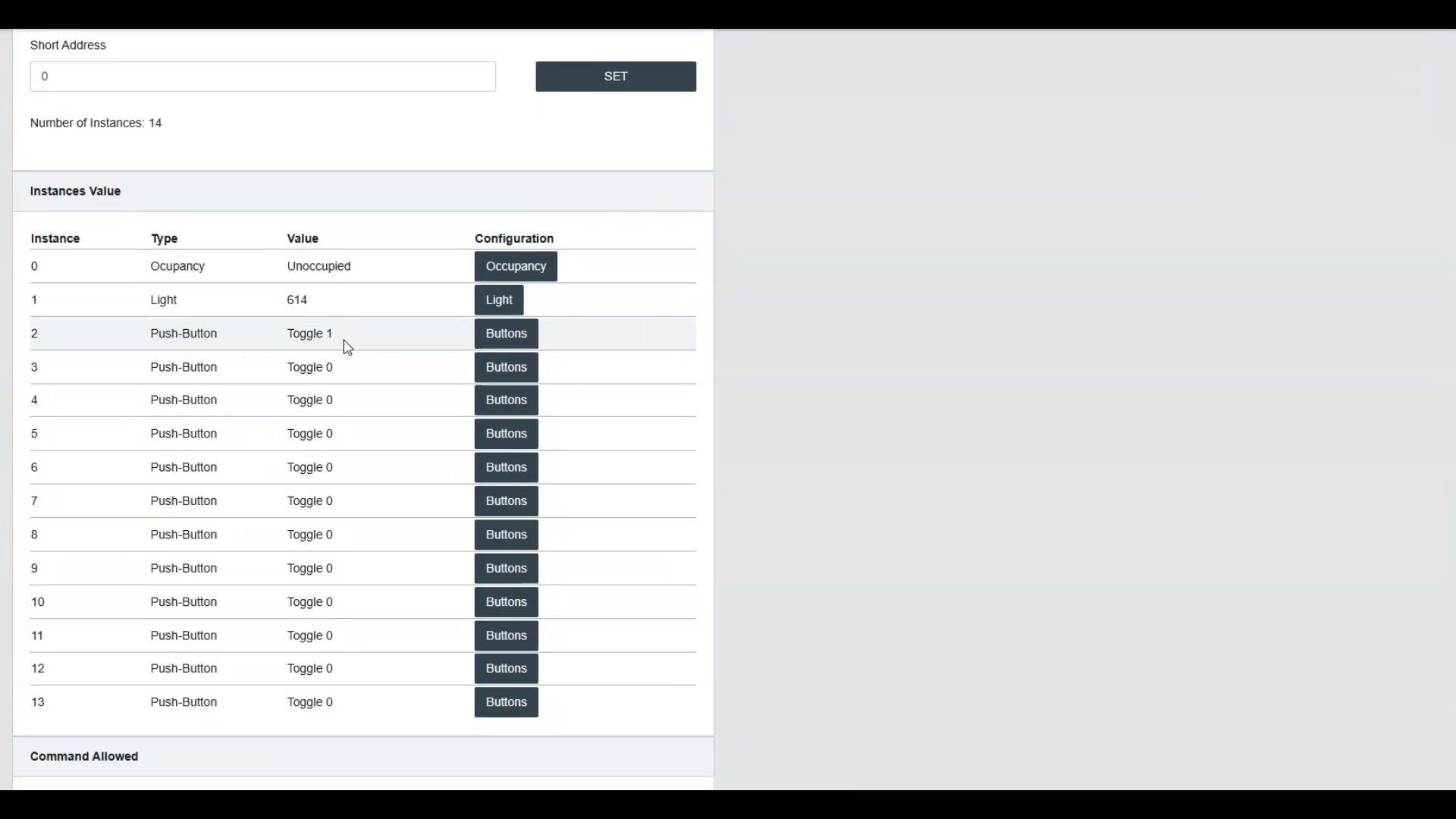
This web page summarizes the configured commands for each instance. Refer to the input device manufacturer to know which instance number to configure; commands can also be temporarily configured to determine it.
Press the instance row to open the configuration of its parameters.
In the Button Parameters, users can customize essential settings like Function, Press Time, Repeat Time, Destination Type, Destination, and Command to tailor button actions to specific lighting requirements.
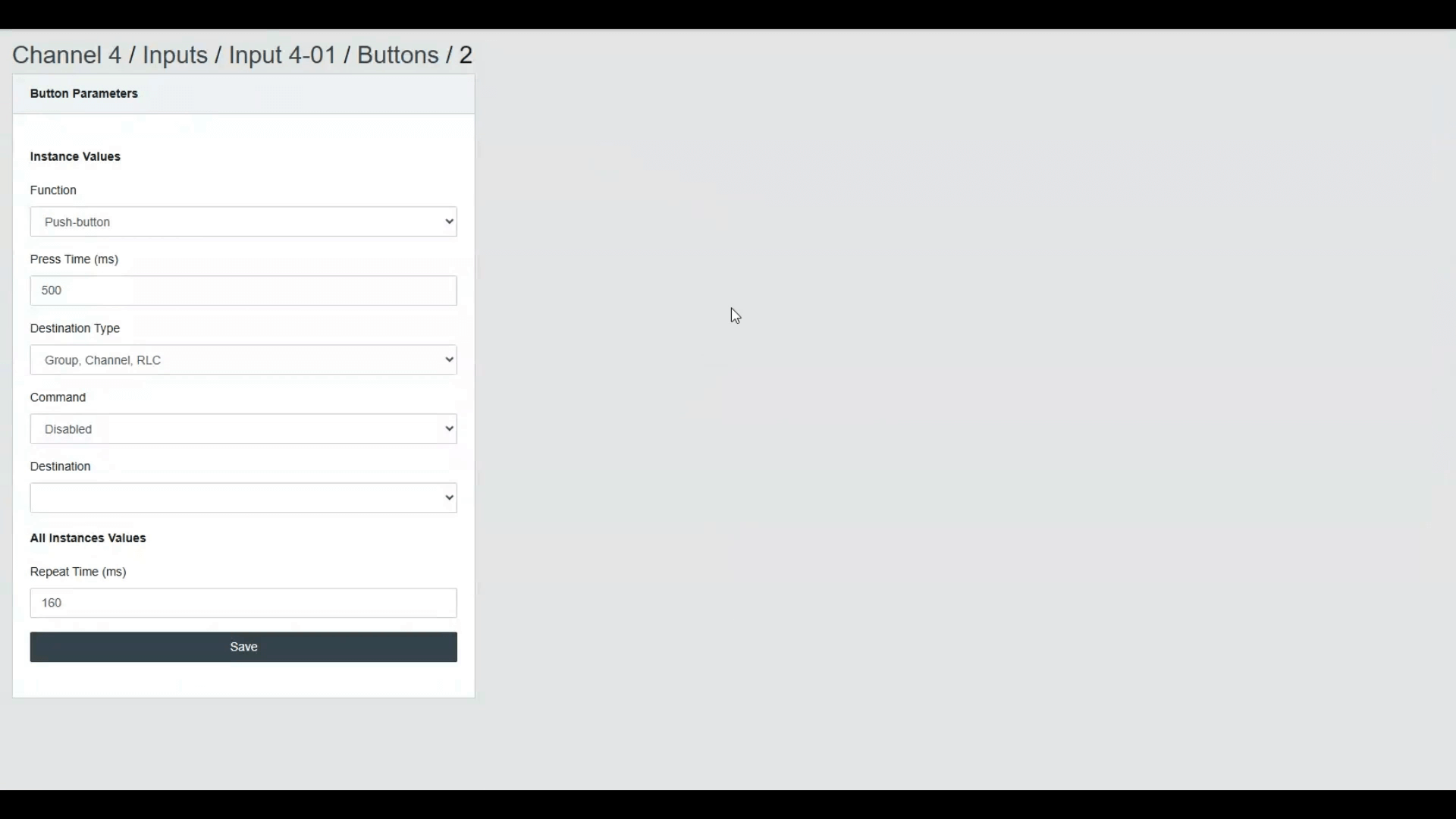
- Function
Begin by selecting the physical property of the button. Choose between a momentary button or a toggle switch, depending on the desired behavior.
- Press Time and Repeat Time
Next, adjust the Press Time, which sets the delay in milliseconds before a long press is registered. If desired, configure the Repeat Time to define intervals of command sending for prolonged button presses.
- Destination Type
The Destination Type can be 'Group, Channel, Room Light Control', 'Commander', or 'Commanders'. The destination and commands differ depending on the Destination Type selected.
For 'Group, Channel, Room Light Control', the commands are related to light control, such as recall max level, level, dim up, dim down, and scenes recall. It is also possible to use a button as if it was an occupancy sensor for a Room Light Control or to control the Daylight Harvesting of a Room Light Control. For 'Group, Channel, Room Light Control', a single destination, either a Group or a Channel, can be configured. This limitation can be overcome by using a Destination Type of 'Commander', allowing multiple lighting commands to be sent in sequence to multiple groups or channels, as well as enabling more complex lighting control sequences.
For 'Commander' a single Commander can be started or stopped. For 'Commanders' any Commander can be started or stopped.
- Save
After configuring, ensure to press the Save button for all settings to be saved. Test the buttons to verify each parameter's effect on the lighting setup.
Diagnostic
The Input web page displays the list of instance values. This can help diagnose problems and test the configured buttons. Each button press on the physical button is displayed on the web page.
Conclusion
This guide covered the main features and functions for configuring DALI-2 buttons in the lighting system. For more information, refer to the user manual or the website.