Web User Interface - Settings
Settings
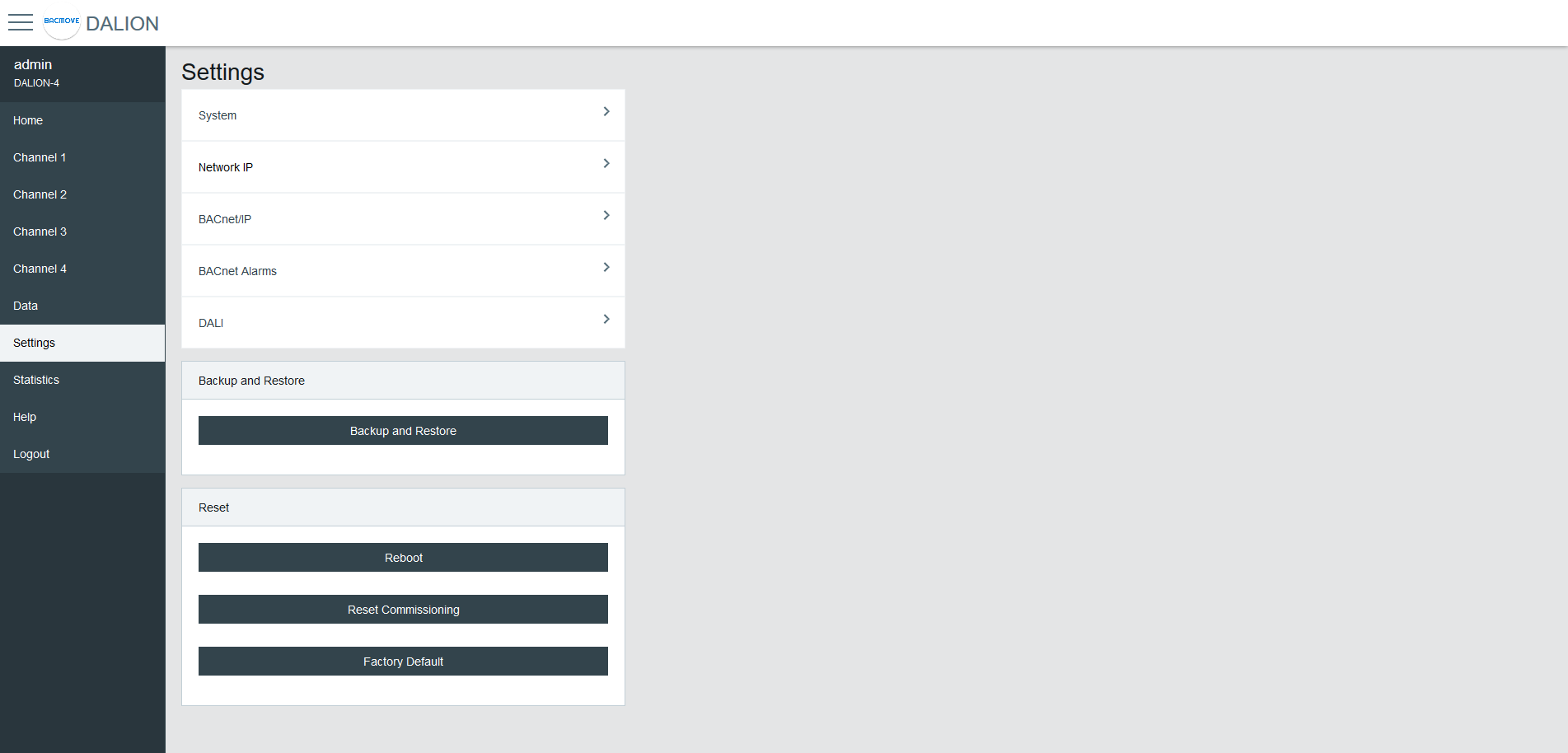
System
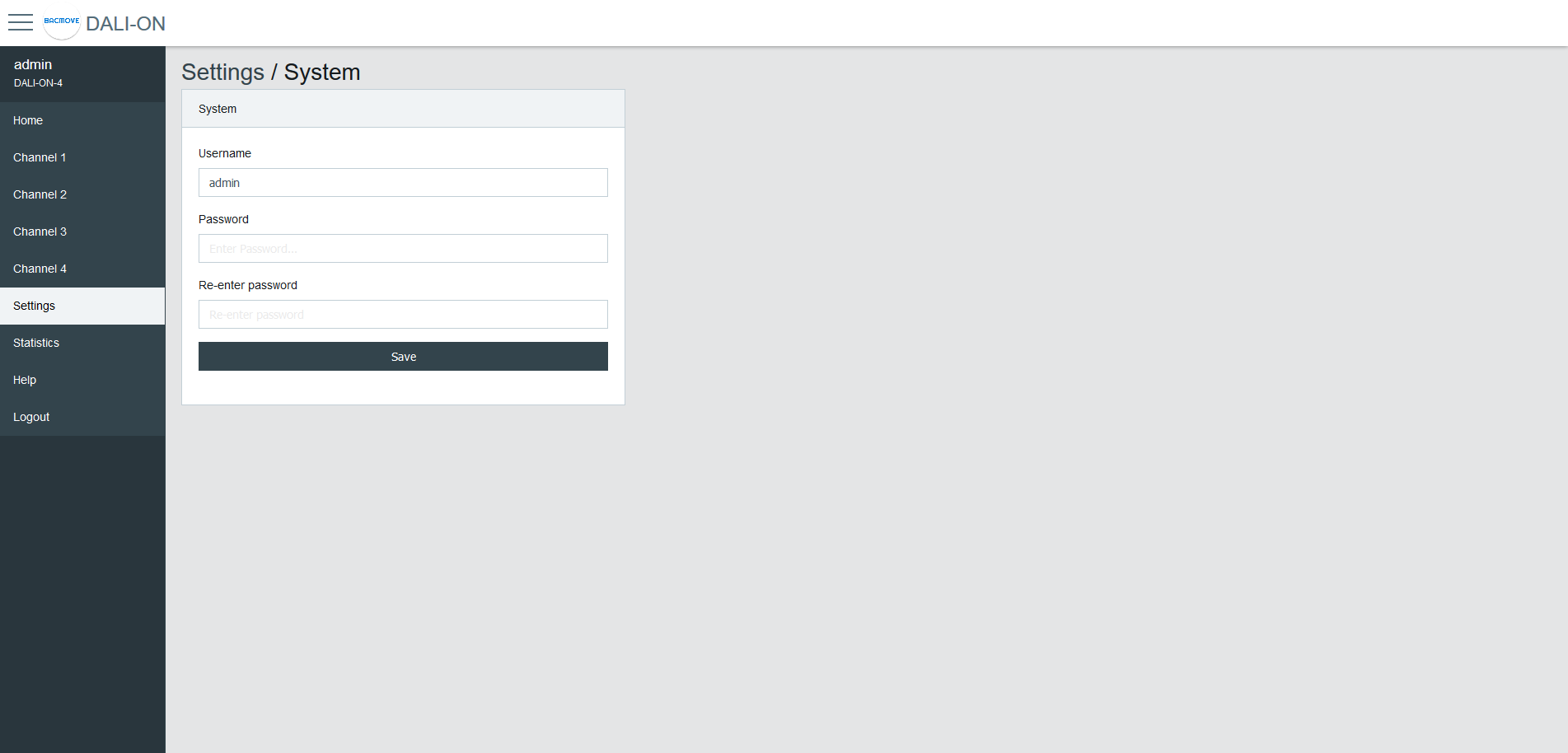
The system settings allow changing the username and password.
Date Time
Configuration of the system date and time.
Time Source
- Manual uses the configured date and time.
- NTP Server uses the specified IPv4 address to synchronize the system date and time from a Network Time Protocol (NTP) server.
- BACnet allows setting the date and time with the BACnet TimeSynchronization and UTCTimeSynchronization services.
NTP Server IP
The IP address of the Network Time Protocol (NTP) server used to synchronize the system date and time. Must be a valid IPv4 address. If left blank, the system will not attempt to synchronize time using NTP.
Local Date
The date to configure in YYYY-MM-DD format. Where YYYY is the year, MM is the month, and DD is the day. MM and DD must be preceded by a 0 if they are less than 10.
Local Time
The time to configure in HH:MM:SS format. Where HH is hours, MM is minutes, and SS is seconds. They must be preceded by a 0 if they are less than 10.
Standard Time Zone Offset
The UTC time offset, for the period of the year when the Daylight Saving Time is not active. The format is [+|-]HH:MM. Where [+|-] indicates the sign of the offset, HH the hours and MM the minutes.
Example
For Eastern Time Zone (EST).
-05:00
DST Time Zone Offset
The UTC time offset, for the period of the year when the Daylight Saving Time is active. The format is [+|-]HH:MM. Where [+|-] indicates the sign of the offset, HH the hours and MM the minutes.
Example
For Eastern Daylight Time (EDT).
-04:00
DST Start - Week
The week of the month when the Daylight Saving Time period starts.
Example
For Eastern Daylight Time (EDT).
2nd
DST Start - Day of Week
The day of the week when the Daylight Saving Time period starts.
Example
For Eastern Daylight Time (EDT).
Sunday
DST Start - Month
The month when the Daylight Saving Time period starts.
Example
For Eastern Daylight Time (EDT).
March
DST End - Week
The week of the month when the Daylight Saving Time period ends.
Example
For Eastern Daylight Time (EDT).
1st
DST End - Day of Week
The day of the week when the Daylight Saving Time period ends.
Example
For Eastern Daylight Time (EDT).
Sunday
DST End - Month
The month when the Daylight Saving Time period ends.
Example
For Eastern Daylight Time (EDT).
November
Hardware UTC Date Time
The currently configured UTC date and time.
Location and language
The language of the web interface is configurable.
Configuration of the local latitude and longitude. The latitude and longitude are used for the calculation of the time of sunrise and sunset for the astronomical time clock schedules.
Language
The supported languages are English and French.
Latitude
The local latitude coordinate that specifies the position of the system in the north or south direction on the surface of the earth. It is measured as an angle, ranging from -90 degrees at the South Pole to 90 degrees at the North Pole, with zero degrees at the Equator.
Longitude
The local longitude coordinate specifies the position of the system in the east or west direction on the surface of the Earth. It is measured as an angle, ranging from minus 180 degrees at the westernmost point to 180 degrees at the easternmost point, with zero degrees at the Prime Meridian.
Sunrise and Sunset of the Year
The table lists all the calculated sunrise and sunset times for the current year, based on the configured latitude and longitude. The first row displays the times for the current day.
Network IP
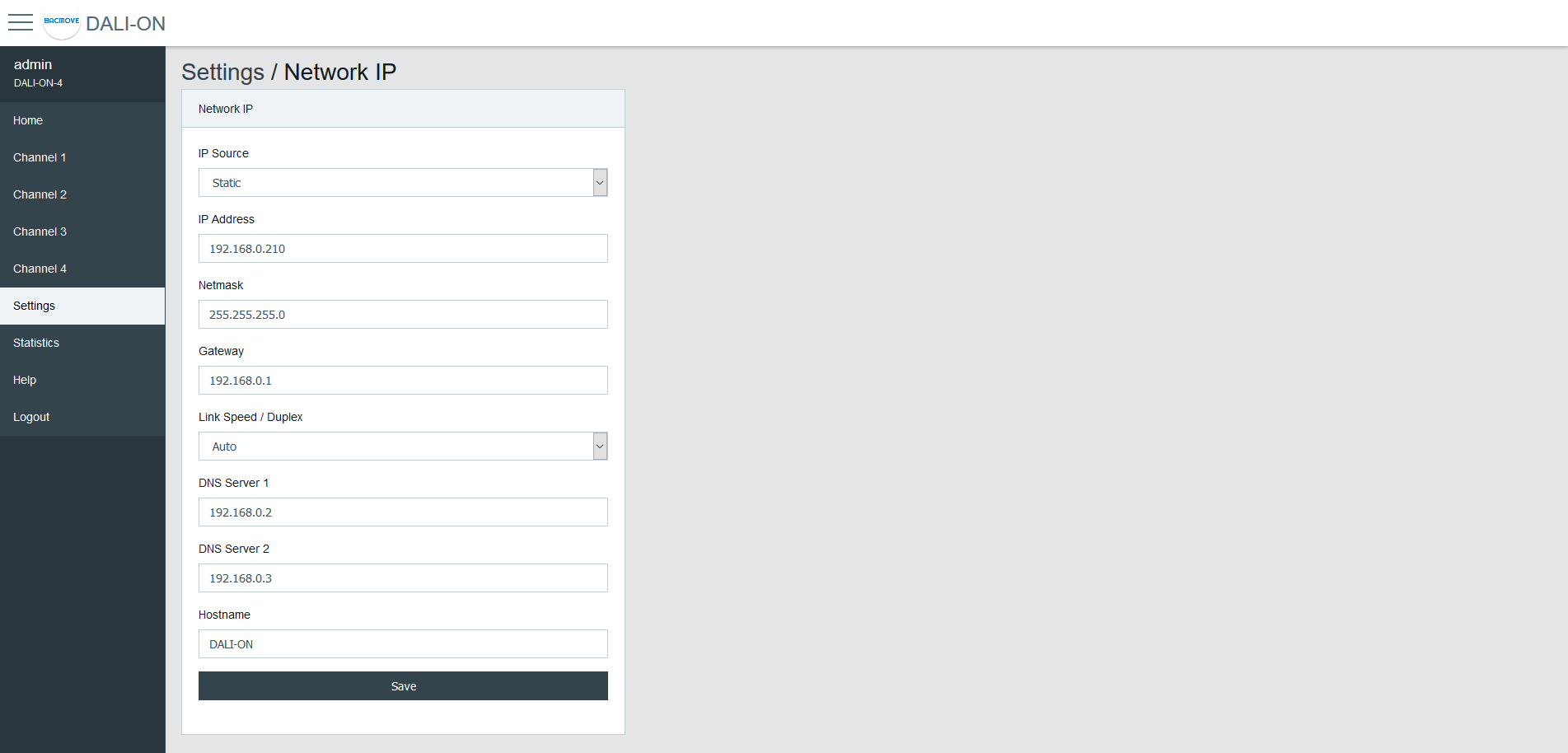
Configuration of the IP interface.
By default, the controller uses the IP address 192.168.0.210. To access the controller:
-
Configure the computer on the same subnetwork.
-
Open the DALION web interface with a web browser.
| Name | Unit | Limit | Default | Description |
|---|---|---|---|---|
| IP Source | Choice | Static, DHCP | Static | Choice of the IP address source |
| IP Address | IPv4 Address | 192.168.0.210 | Static IP address | |
| Netmask | IPv4 Address | 255.255.255.0 | IP network netmask | |
| Gateway | IPv4 Address | 192.168.0.1 | IP address of the default gateway | |
| Link Speed / Duplex | Choice | Auto, 100F (100 Mbps Full Duplex), 100H (100 Mbps Half Duplex), 10F (10 Mbps Full Duplex), 10H (10 Mbps Half Duplex) | Auto | Ethernet link speed |
| DNS Server 1 | IPv4 Address | 192.168.0.2 | IP address of the first DNS server | |
| DNS Server 2 | IPv4 Address | 192.168.0.3 | IP address of the second DNS server | |
| Hostname | String | 32 characters | DALION | Network hostname |
BACnet/IP
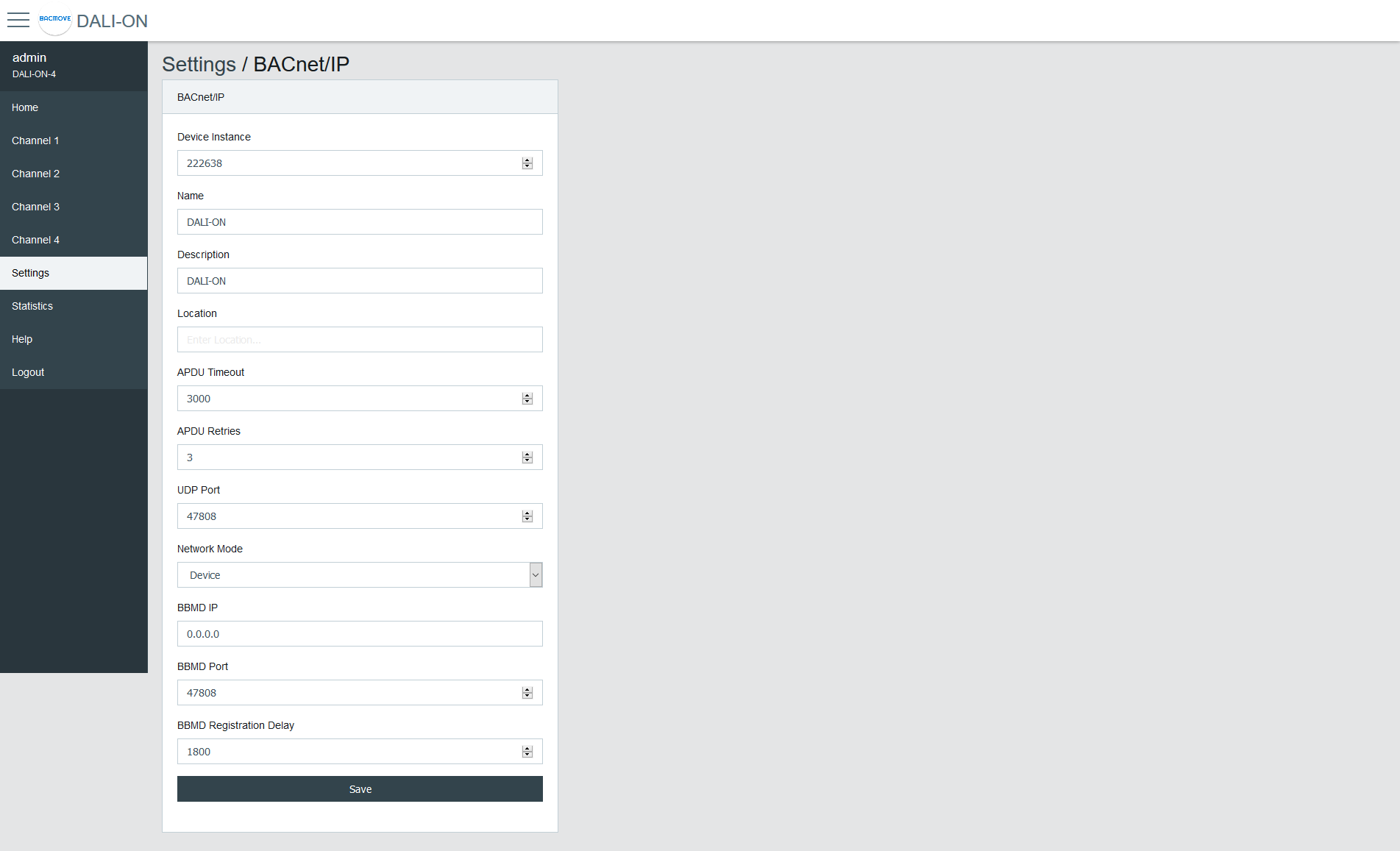
Configuration of the BACnet/IP network interface.
| Name | Unit | Limit | Default | Description |
|---|---|---|---|---|
| Device Instance | Number | 0-4194302 | 222638 | BACnet device object instance number |
| Device Name | String | 32 characters | DALION | BACnet device object name |
| Device Description | String | 32 characters | DALION | BACnet device object description |
| Device Location | String | 32 characters | BACnet device object location | |
| APDU Timeout | Number | 0-65535 | 3000 | BACnet APDU timeout |
| APDU Retry Count | Number | 0-65535 | 3 | BACnet APDU Retry Count |
| UDP Port | Number | 0-65535 | 47808 | BACnet/IP UDP Port |
| Network Mode | Choice | Device / Foreign Device | Device | Enable or disable foreign device mode |
| BBMD IP | IPv4 Address | IP address of the BBMD server | ||
| BBMD Port | Number | 0-65535 | 47808 | Port of the BBMD server |
| BBMD Registration Delay | Seconds | 0-65535 | 300 | BBMD Registration Delay |
| Unsubscribed COV Notification - Binary Input | Choice | Enabled / Disabled | Disabled | Enable or disable the sending of unsubscribed COV Notification for the Binary Input objects |
| Unsubscribed COV Notification - Analog Input | Choice | Enabled / Disabled | Disabled | Enable or disable the sending of unsubscribed COV Notification for the Analog Input objects |
| Unsubscribed COV Notification - Multi-state Input | Choice | Enabled / Disabled | Disabled | Enable or disable the sending of unsubscribed COV Notification for the Multi-state Input objects |
| Binary Input - Buttons | Choice | Only Commissioned / All / None | Only Commissioned | Only Commissioned: Only the commissioned input device objects are visible, All: All possible input device objects are visible, None: None of the input device objects are visible. |
DALI
Configuration of the DALI channels.
Mode
- Normal: The controller is operating normally.
- Disable: The controller is not authorized to communicate on the DALI channel. When the mode is Disable, gray bands appear in the background of the associated DALI channel pages.
Lamp Command Repeat Count
The commands that affect the light intensity of the lamps can be repeated.
Assign Match Short Address with Index
If enabled when assigning a lamp or input, its short address will automatically be modified to match the assignment index number.
BAS Communication Timeout
In the event of loss of communication between the DALION and another BACnet device such as a BAS (Building Automation System), the DALI channels and groups can reach a specified light brightness. The commands executed when the timeout is reached are configured through the pages of each group and channels.
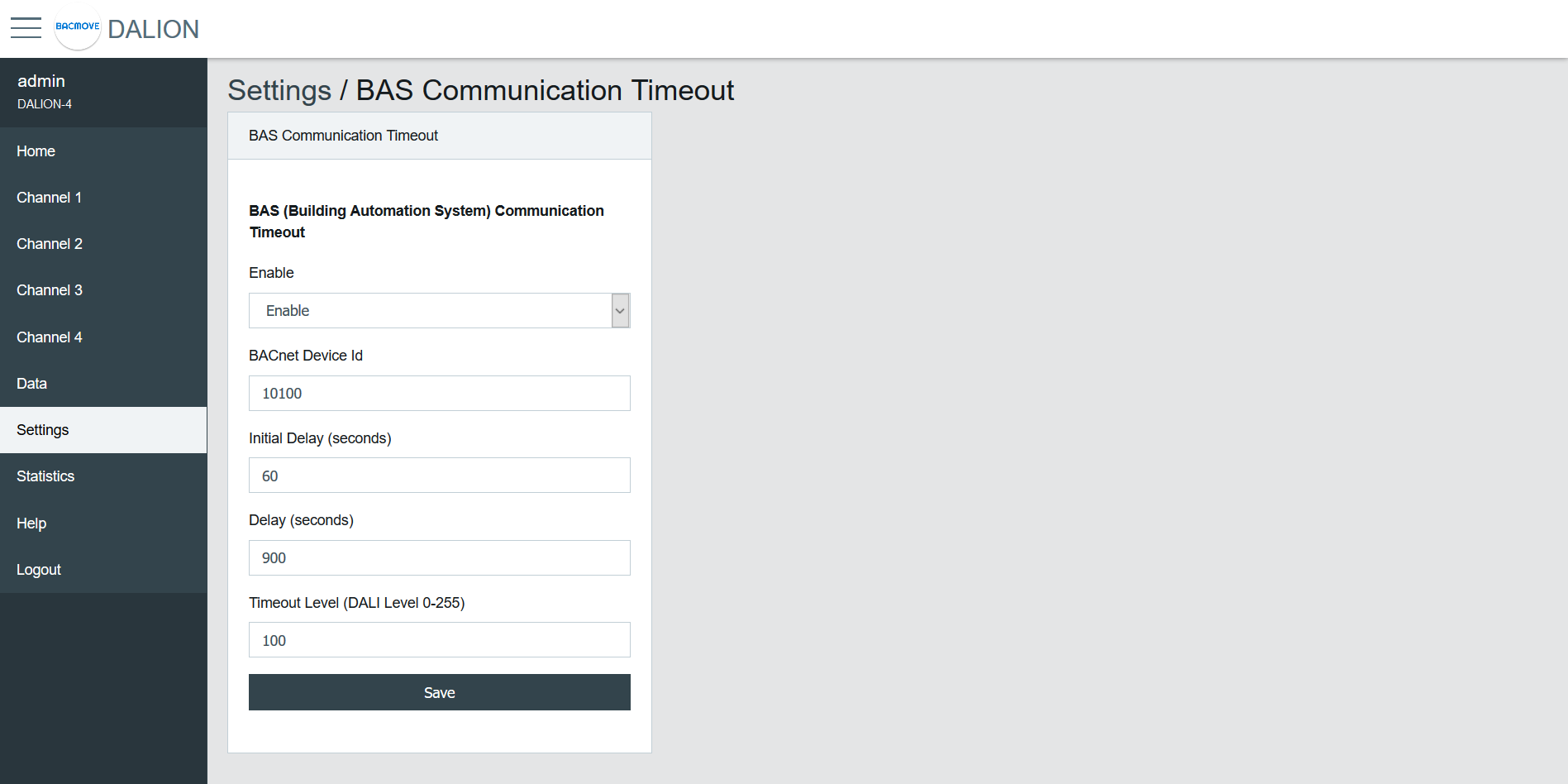
| Name | Unit | Limit | Default | Description |
|---|---|---|---|---|
| Enable | Choice | Enable / Disable | Disable | Enable or disable the communication timeout |
| BACnet Device Id | Number | 0-4194302 | 0 | BACnet device id of the other device (BAS) |
| Initial Delay | Number | 0-4194302 | 0 | Initial Delay in seconds. Used to let time to the other device (BAS) to boot-up |
| Delay | Number | 0-65535 | 0 | Delay in seconds before the communication timeout |
| Timeout Level | Number | 0-255 | 0 | Default light intensity level |
Network IP - Remote Capture
The Remote Capture feature allows BACnet/IP traffic received and transmitted to be mirrored and sent to a specified remote IP address.
This enables the analysis and troubleshooting of BACnet communication using external tools such as Wireshark.
It is useful for diagnosing network problems, verifying device behavior, or recording protocol exchanges without requiring a network TAP (Test Access Point) or switch with port mirroring.
Sending packets to the remote host begins approximately 2 minutes after boot-up.
| Name | Unit | Limit | Default | Description |
|---|---|---|---|---|
| Enable | Choice | Enable / Disable | Disable | Enable or disable the forwarding of BACnet/IP packets to the remote capture host |
| Remote IP Address | IPv4 Address | The IPv4 address of the computer running the packet capture software. This host must be reachable | ||
| Remote Port | Number | 0-65535 | 47808 | The UDP port on the remote host where packets are sent. Default 47808 corresponds to the standard BACnet/IP port but can be set to another value if needed by the capture software |
⚠ Remote Capture is intended for diagnostics and testing. It should normally remain disabled during standard operation to avoid unnecessary traffic.
⚠ Forwarding packets increase memory and network usage. On busy networks, enabling this feature continuously is not recommended.
⚠ Ensure that the remote host is running a packet capture tool (e.g., Wireshark) configured to listen on the defined port.
Syslog Client
The Syslog Client allows forwarding system and application messages to a remote Syslog server for monitoring, diagnostics, and logging purposes.
| Name | Unit | Limit | Default | Description |
|---|---|---|---|---|
| Enable | Choice | Enable / Disable | Disable | Activate or deactivate the Syslog client |
| Syslog Server IP Address | IPv4 Address | Specify the IP address of the remote Syslog server | ||
| Syslog Server Port | Number | 0-65535 | 514 | Specify the UDP port of the remote Syslog server. Default is usually 514 |
The Sources define which internal modules or events generate Syslog messages. Each source can be enabled or disabled depending on the required logging.
⚠ Syslog Client is intended for diagnostics and testing. It should normally remain disabled during standard operation to avoid unnecessary traffic.
⚠ Syslog messages increases memory and network usage. Enabling this feature continuously is not recommended.
⚠ Enabling the Syslog Client may generate a large number of network messages depending on the selected sources. This can increase network traffic and load on the Syslog server. It is recommended to enable only the sources required for diagnostics.
Backup / Restore
Please use the Tool software to backup and restore the configurations.
Reboot
This page allows the system to restart. Some configurations, such as network settings, require a system reboot.
Reset Commissioning
This page removes the commissioning data by deleting all lamps, groups, and scenes from the configuration. The commissioning data can be reset for each channel individually.
Factory Default
This page allows resetting all settings and commissioning data to their factory default values.